Productieplanning

uScheduler Production

Een productieplan dat je echt kunt uitvoeren.

De meeste tools voor productieplanning tekenen prachtige Gantt-charts waar niemand iets mee kan. In uScheduler Production is elke cel op het planbord een beslissing die je kunt nemen. Sleep een order en capaciteit, gereedschap, kwalificaties, volgorde en materiaalbeschikbaarheid werken direct bij. Past iets niet, dan zie je het meteen. Auto-Plan stelt een startpunt voor en de planner stelt het bij. Op de werkvloer verandert niets tot de planner vastlegt. Het resultaat is een plan dat je zonder uitleg op een scherm boven de lijn kunt laten zien, en dat je kunt verdedigen in een salesoverleg als iemand vraagt “wanneer kunnen we leveren?”
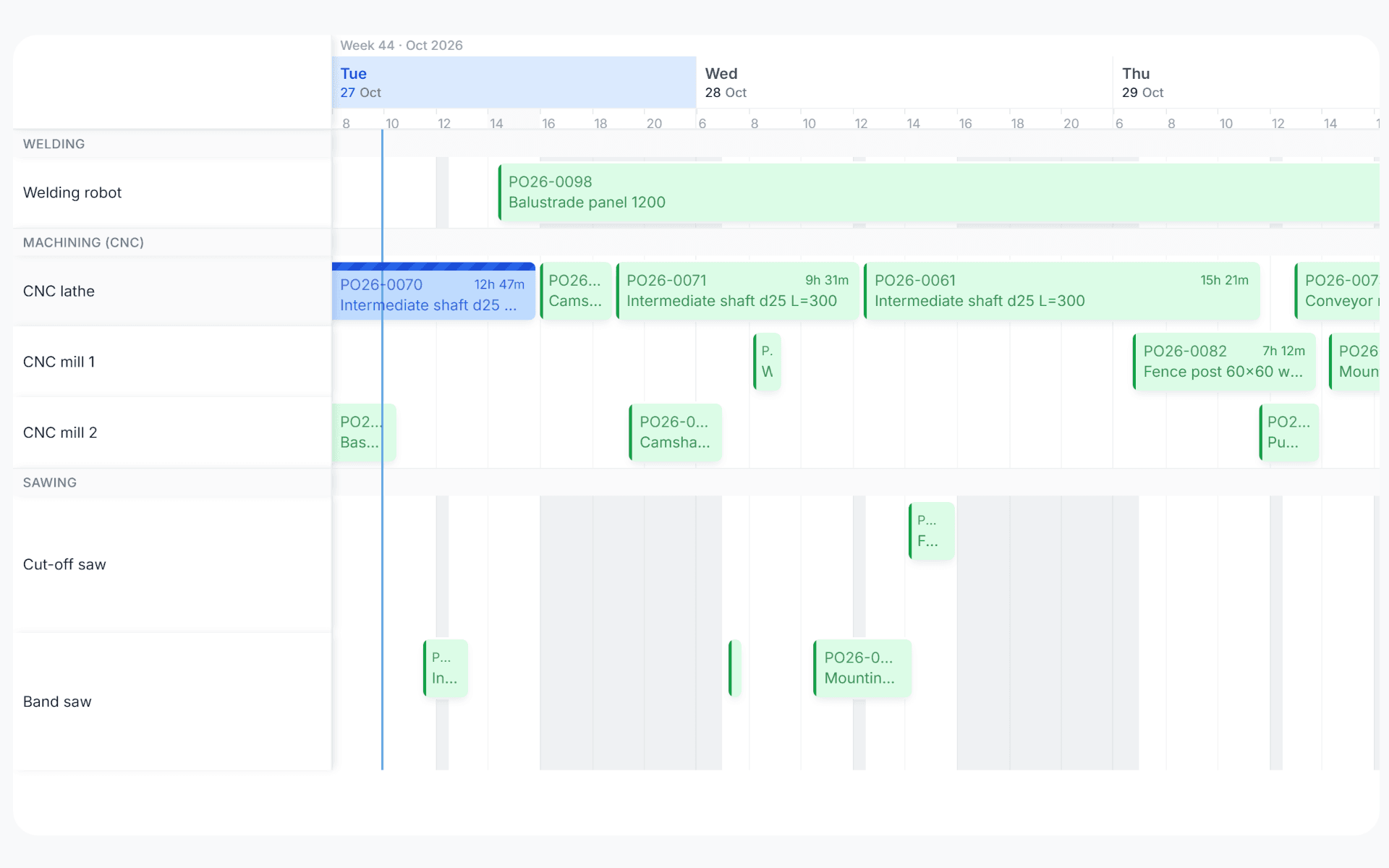
uScheduler Production gantt view with production orders planned across work centers over three days
Functionaliteiten · 8
uScheduler Production · Year View

A full year, one screen, every work centre.

Zoom out from the day to the year. See where you have room left and where you're overbooked, week by week, per work centre or per machine centre. The question changes from "can we fit this in next Tuesday?" to "where does Q3 break?".

Every week of the year, at a glance
One row per work centre, one column per week, 52 cells across. Blue where there's room, orange where it's tight, red where you're overbooked. Scan a row and you'll find the squeeze.
Work centre and machine centre, side by side
Both roll-ups on the same screen. Some bottlenecks show at the work-centre level, and others hide inside it, in one specific CNC or one specific oven. You see both at once without switching views.
Drill from year to day
Click any week to drop straight into the planning board for that week. The year view is the doorway; the daily plan is where you commit.
Wat je ziet

The plan you defend at the management meeting.

The board is about tomorrow. The year view is for the bigger talks, such as whether to add a shift, buy a machine or move a customer’s delivery window. You don’t need a separate Excel model for that, because the year view uses the same data as the plan, shown per week the way ops and finance already think.

  • 52 weeks, every work centre, on one screen
  • Work-centre and machine-centre roll-ups side by side
  • Load vs capacity in colour: blue, orange, red
  • Click a week to drop into the planning board
  • Same data as the live plan, with no separate model to maintain
  • Holidays, maintenance and planned downtime already subtracted
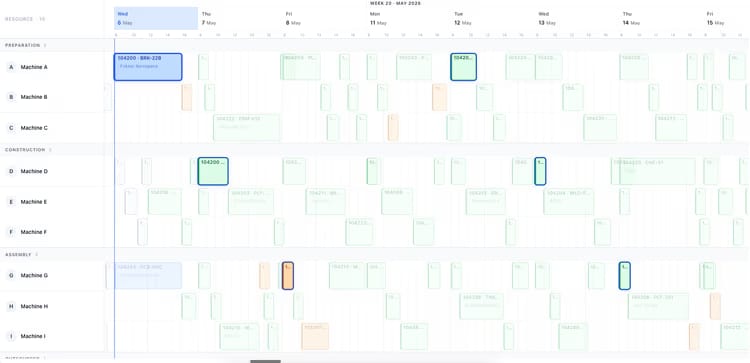
Production planning board showing two weeks of orders across ten machines
Wanneer dit ertoe doet

Signalen dat je dit nodig hebt.

01
Capacity models live in Excel
Operations builds a yearly capacity model once a quarter in Excel, from data already in Business Central. Three months later it’s stale and nobody updates it.
02
Bottlenecks announce themselves at quote time
Sales promises a Q3 delivery without knowing Q3 is already 110% loaded on the bottleneck machine. The discovery happens at scheduling, which is too late to renegotiate.
03
You can’t see the year from the daily board
The planning board is built for tomorrow. Asking it to also answer “is October overbooked?” is asking the wrong tool the wrong question.
04
Hiring decisions arrive too late
A second shift takes months to staff. If the overload only becomes visible in the week it hits, the decision is already late.
Veelgestelde vragen

De vragen die iedereen als eerste stelt.

Nog vragen? Vraag het ons direct →

Planned hours against available capacity for each week, per work centre. Available capacity comes from the shift calendar, with holidays, maintenance windows and planned downtime subtracted. Below 85% is blue (room left), 85-100% orange (tight), above 100% red (overbooked). Thresholds are configurable.

Bekijk uScheduler Production in een demo van 30 minuten.

Een echte schermdeling met iemand die het gebouwd heeft. Geen slides.

De uTools-suite

Andere apps die goed samengaan met uScheduler Production