Productieplanning

uScheduler Production

Een productieplan dat je echt kunt uitvoeren.

De meeste tools voor productieplanning tekenen prachtige Gantt-charts waar niemand iets mee kan. In uScheduler Production is elke cel op het planbord een beslissing die je kunt nemen. Sleep een order en capaciteit, gereedschap, kwalificaties, volgorde en materiaalbeschikbaarheid werken direct bij. Past iets niet, dan zie je het meteen. Auto-Plan stelt een startpunt voor en de planner stelt het bij. Op de werkvloer verandert niets tot de planner vastlegt. Het resultaat is een plan dat je zonder uitleg op een scherm boven de lijn kunt laten zien, en dat je kunt verdedigen in een salesoverleg als iemand vraagt “wanneer kunnen we leveren?”
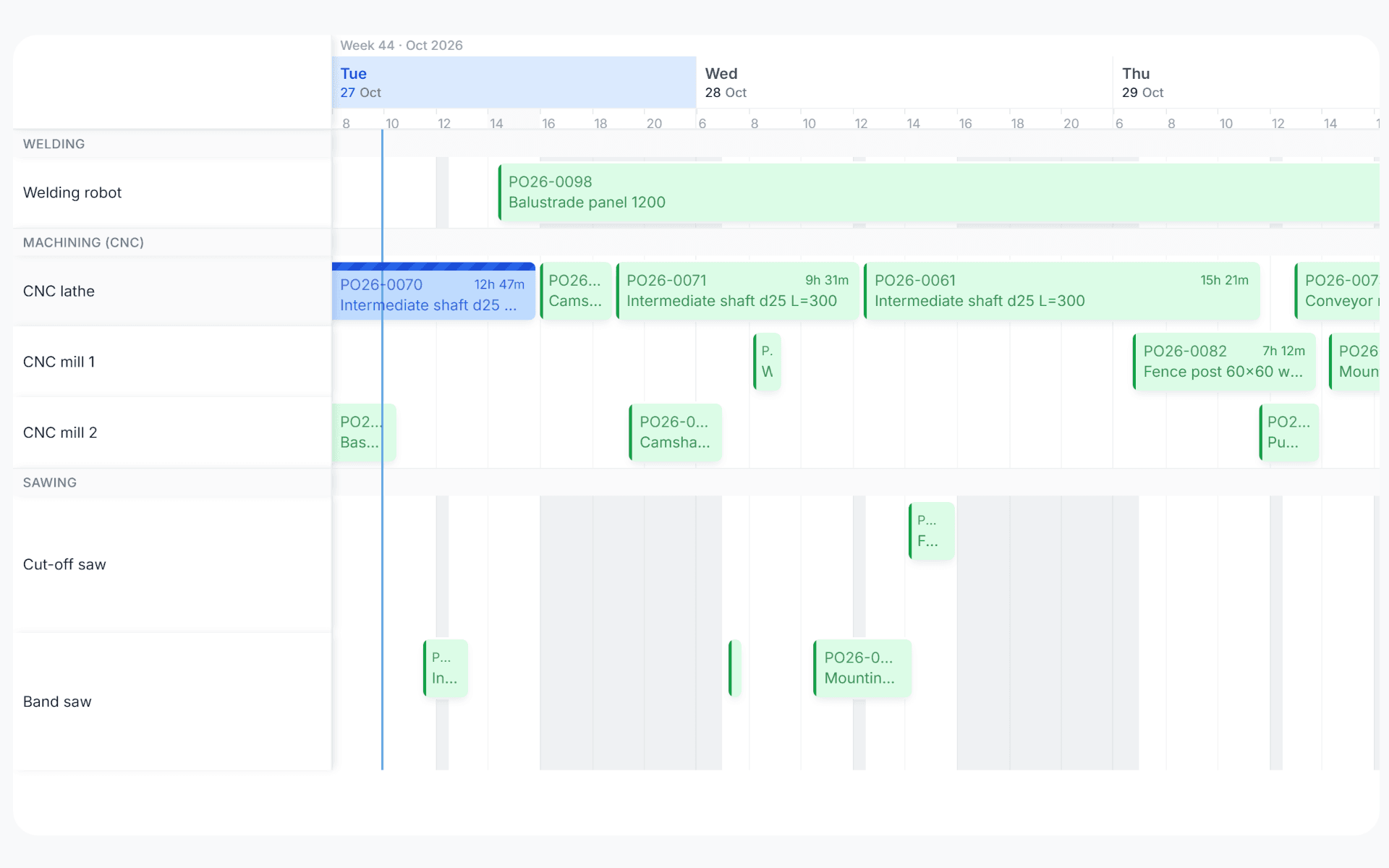
uScheduler Production gantt view with production orders planned across work centers over three days
Functionaliteiten · 8
uScheduler Production · Overview

A production plan the floor can run.

Drag an order, drop it, and see straight away whether capacity and materials allow it. It's a plan you can put on a screen on the shop floor without explaining it, and one you can defend in a sales meeting when somebody asks "when can we ship it?".

From "what if?" to commit, in one click
Run Auto-Plan into a draft scenario, compare it against the current plan side-by-side, and commit when you're ready. The board never changes unexpectedly. Auto-Plan proposes, the planner commits.
Constraint-aware by default
The board takes every constraint into account, from capacity and tooling to qualifications, materials and sequencing. What you see is a plan you can actually run.
Visible bottlenecks
Busy days and conflicts are highlighted on the board, so you see bottlenecks a week ahead.
Wat je ziet

One board. One reality.

Most production planning tools draw beautiful Gantts that nobody can act on. uScheduler Production starts from the opposite premise: every cell on the board is a decision waiting to be made. The tool is there to help you decide, instead of just showing what already happened.

  • Visual planning board for production, capacity- and material-aware
  • Drag-and-drop with instant feasibility check
  • Auto-plan proposal as a starting point, you make the call
  • Tooling, qualifications and sequencing as first-class constraints
  • Material availability checked while you plan
  • Live KPIs: on-time completion, capacity utilisation, late orders
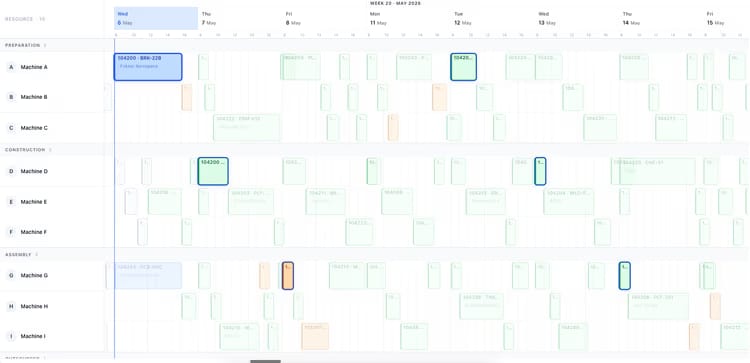
Production planning board showing two weeks of orders across ten machines
Wanneer dit ertoe doet

Signalen dat je dit nodig hebt.

01
Planning still lives in Excel
Business Central has the data. Excel has the plan. Every change requires a copy-paste round-trip nobody trusts.
02
Sales promises dates the floor can’t hit
Without capacity visibility at the moment of quoting, you ship dates that production discovers two weeks later.
03
Bottlenecks announce themselves on the day
A constraint that surfaces at 06:00 on Tuesday is a problem. A constraint that surfaces a week ahead is a plan.
04
Replanning takes half a day
When a customer asks “can you fit this in?”, you should have the answer in seconds.
Veelgestelde vragen

De vragen die iedereen als eerste stelt.

Nog vragen? Vraag het ons direct →

Business Central produces planning lines. uScheduler Production gives you a visual, drag-and-drop board where every move is checked live for capacity and for whether the materials will be there when you need them. The math underneath is Business Central, and the board on top is built for the people who plan.

Bekijk uScheduler Production in een demo van 30 minuten.

Een echte schermdeling met iemand die het gebouwd heeft. Geen slides.

De uTools-suite

Andere apps die goed samengaan met uScheduler Production