OPEXIS
Delivery, Project & Service Planning

title

One plan for everything that happens after production.

introline bodytext
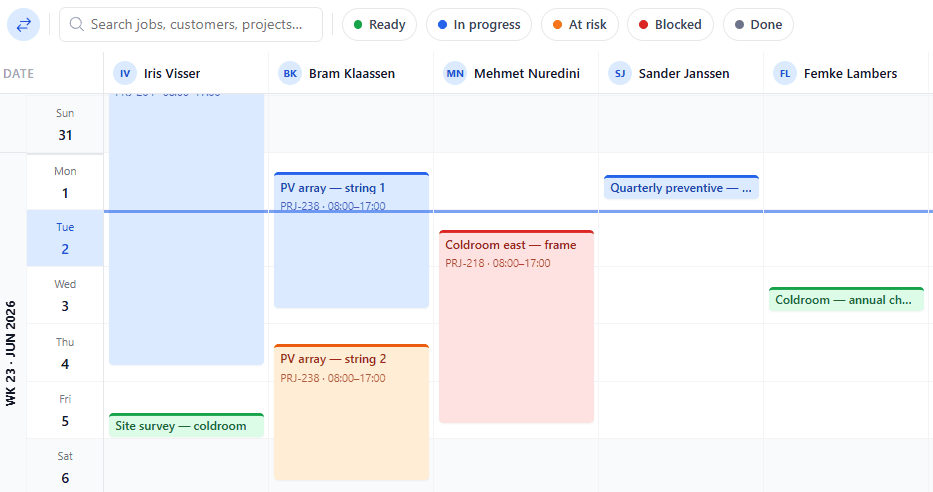
uScheduler P/S/S planning board with project and service orders scheduled across resources
Funzionalità · 9
title · Customer Communication

Customers updated before they ask.

A customer who finds out about a slip from the truck driver loses trust. A customer who gets a polite reminder the day before and can open a portal to see exactly where their order stands is a customer who renews. uScheduler builds communication and self-service into the plan.

Scheduled customer messages
Confirmation when booked, a reminder the day before, an ETA the morning of, a done notification after — each a branded, editable template.
A portal with live status
Customers log in to see exactly where their order or project stands — scheduled, on the way, in progress, done. The same status the planner sees, without anyone having to relay it.
Confirm or reschedule, both ways
When you propose or move a date, the customer confirms or proposes an alternative in the portal. Confirmed dates flow back to the board; counter-proposals land as a planner activity.
Cosa vedi

Self-service is faster for everyone.

Customer communication is the cheapest part of operations to do well and the most expensive to do badly. A reminder costs nothing to send; a missed appointment costs a truck roll. And most status questions are answerable by data the planner already has — a portal turns "phone the planner" into "open the tab". Planners get their time back; customers get an answer whenever they want one.

  • Configurable message templates per activity type
  • Customer messaging is a simple on/off switch — no per-customer setup
  • Scheduled messages: confirmation, reminder, ETA, completion
  • Customer portal scoped to their own orders and projects
  • Live status timeline with a confirm / counter-propose flow
  • Documents on the order — signed reports — visible to the customer
  • Writes back to Business Central; every message logged for the audit trail
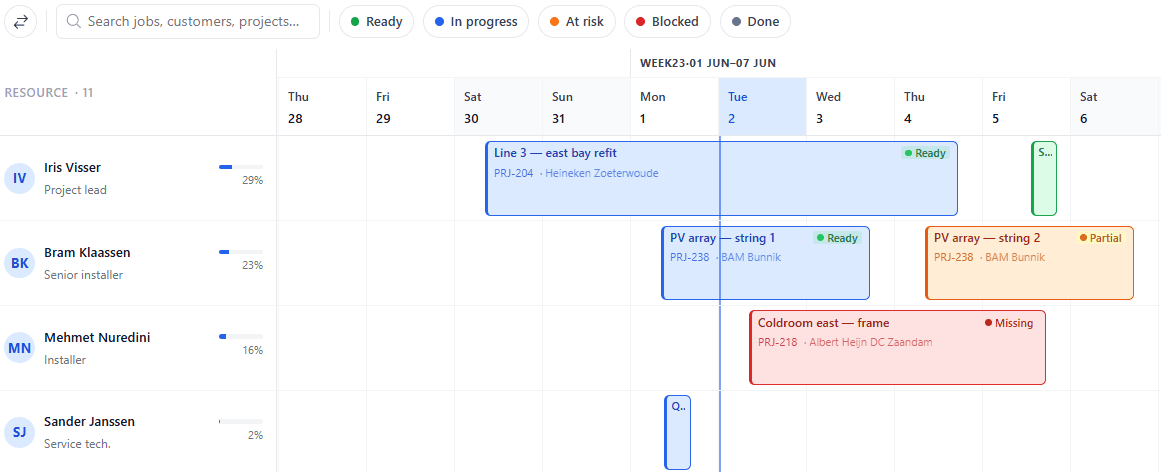
uScheduler P/S/S, immagine 2
Quando conta

Segnali che ti serve.

01
Customers don't get a reminder
No-shows are a known cost. A reminder costs zero. Why this isn't automatic everywhere is a mystery.
02
"Any update on order #4821?"
A question that should be a click for the customer. Every email like this is a tax on the planner and a delay for the customer.
03
Reschedule requests get lost
A customer emails to move an appointment. The mail goes to a shared inbox. Nobody acts. The truck rolls anyway.
04
The big customer wants weekly status meetings
A status meeting exists to compensate for missing self-service visibility. Give the customer the portal; the meeting becomes optional.
FAQ

Le domande che tutti fanno per prime.

Hai ancora dubbi? Chiedicelo direttamente →

Email, SMS and the customer portal. Messaging is a simple on/off switch. Turn it on and the notifications start.

Guarda title in una demo di 30 minuti.

Una vera condivisione dello schermo con chi l'ha creata. Niente slide.

La suite uTools

Altre applicazioni che si abbinano bene a title