
uScheduler Project / Service / Sales
One plan for everything that happens after production.
Once production is done, there's still delivery, installation, service and project work to plan. uScheduler P/S/S puts all of it in one overview and plans it against capacity, skills, geography, deadlines and material availability. It also checks whether the parts will be there on the day. Sales, logistics and engineers all look at the same board, so promises get kept and there are fewer surprises.
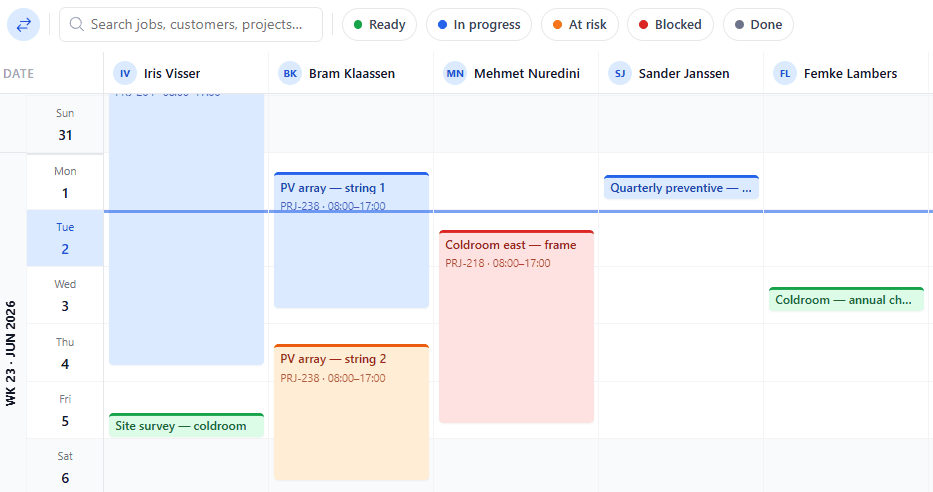
Everything after production. In one plan.
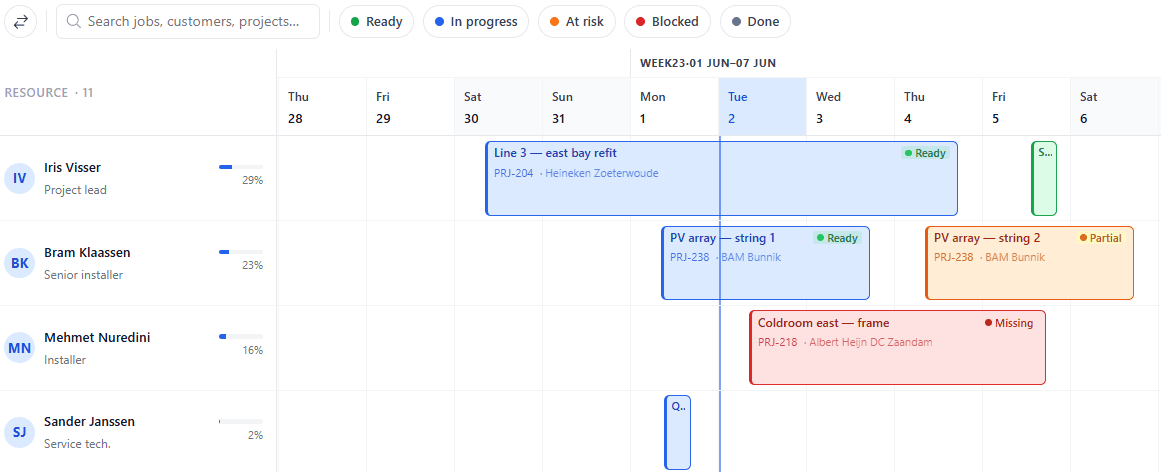
Deliveries, installations, services and projects on one visual board, with material availability and engineer qualifications checked before you commit a date. Sales, logistics and execution work from the same plan.
Stop juggling three planning spreadsheets.
Most companies plan production in one tool, deliveries in another, installations on a whiteboard, and projects in MS Project. The result is consistent miscommunication. uScheduler P/S/S merges the planning that happens after production into one canonical view — where every department sees the same dates and the same constraints.
- Visual planning board for projects, services and sales deliveries
- Material availability checked at execution time
- Engineer skills, qualifications and certifications respected
- Geographic routing optimisation for field activities
- Efficiency dashboard: estimated vs. actual time, on-time delivery and first-time-fix
Les signes que vous en avez besoin.
Les questions que tout le monde pose en premier.
Encore des questions ? Posez-nous la question directement →
Découvrez uScheduler P/S/S lors d'une démo de 30 minutes.
Un vrai partage d'écran avec une personne qui l'a créée. Pas de diapositives.