OPEXIS
Delivery, Project & Service Planning

uScheduler Project / Service / Sales

One plan for everything that happens after production.

Once production is done, there's still delivery, installation, service and project work to plan. uScheduler P/S/S puts all of it in one overview and plans it against capacity, skills, geography, deadlines and material availability. It also checks whether the parts will be there on the day. Sales, logistics and engineers all look at the same board, so promises get kept and there are fewer surprises.
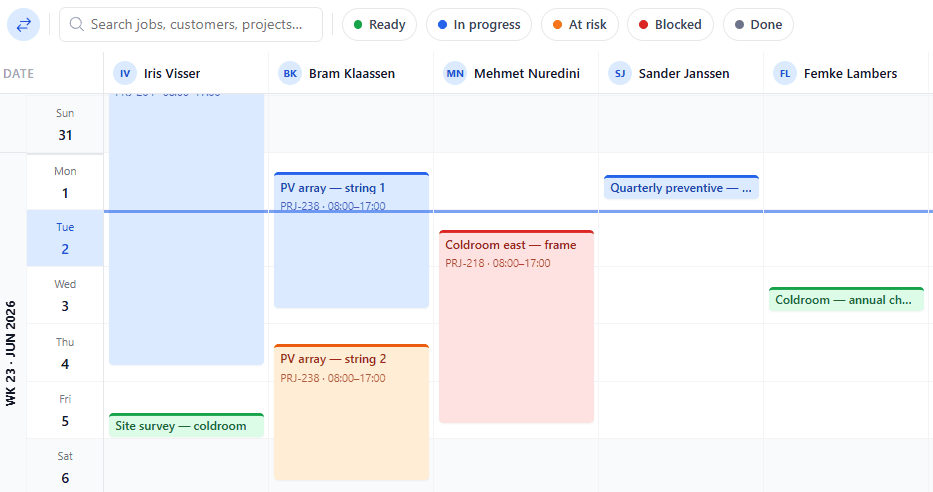
uScheduler P/S/S planning board with project and service orders scheduled across resources
Funcionalidades · 9
uScheduler P/S/S · Planning Board

Outbound, in one place.

Stop juggling three planning spreadsheets. Deliveries, installs, service jobs and project tasks sit on one drag-and-drop board, so sales, logistics and execution work from the same plan and see the consequences before they commit.

Mixed activity types
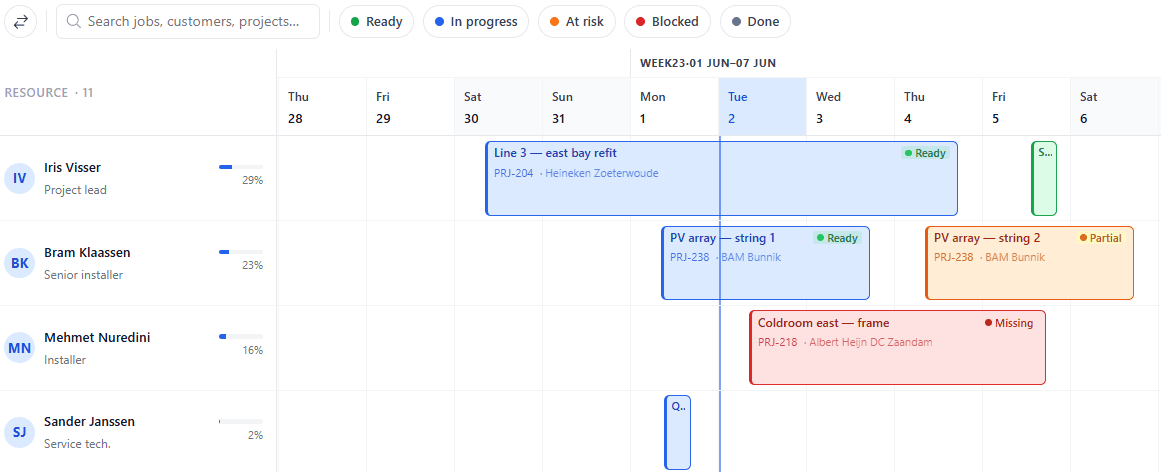
A delivery, an installation, a service visit, a project milestone — all live on the same board, colour-coded by type and grouped by resource.
Drag, drop, see the impact
Drag an activity to a new slot and the board shows the consequences — whether materials are ready, the engineer is qualified, capacity is free and the route still works.
Soft and hard rules
Hard rules block the move. Soft rules colour it amber. The difference between 'can't' and 'shouldn't' is set by you, not guessed by us.
Lo que ves

A board where everyone sees the same thing.

Sales, logistics, service and project planners all work from a single board — not four spreadsheets emailed back and forth. The moment one team books a delivery, visit or install, everyone else sees it, along with the trucks, parts and engineers it depends on. No more meetings to reconcile versions, no more "which plan is current?"

  • Day, week and month views with role-aware defaults
  • Group by team, route or activity type — or build your own view
  • Drag-and-drop with feasibility check
  • Multi-select for bulk moves
  • Saved views per planner
  • Read-only views for sales and customer-success teams
uScheduler P/S/S, imagen 2
Cuándo importa

Señales de que lo necesitas.

01
Three boards for one customer
A customer install requires three resources. With three boards, you book each one separately and pray. With one, the booking is atomic.
02
Drivers find out the day before
When the route is built late, drivers can't prepare. Visibility a week ahead is operational gold.
03
Sales hesitates to commit a date
Without seeing logistics capacity, salespeople guess at delivery dates and often get them wrong.
04
"Who has the latest version?"
A question that shouldn't exist in 2025. With one board, everyone looks at the same version.
FAQ

Las preguntas que todos hacen primero.

¿Aún tienes dudas? Pregúntanos directamente →

Yes. Locks are per activity, so two planners can work on the same board. Conflicts show up live.

Mira uScheduler P/S/S en una demo de 30 minutos.

Una pantalla compartida real con alguien que la creó. Sin diapositivas.

La suite uTools

Otras aplicaciones que combinan bien con uScheduler P/S/S