uShopFloor
From paper and confusion to clarity on the floor.
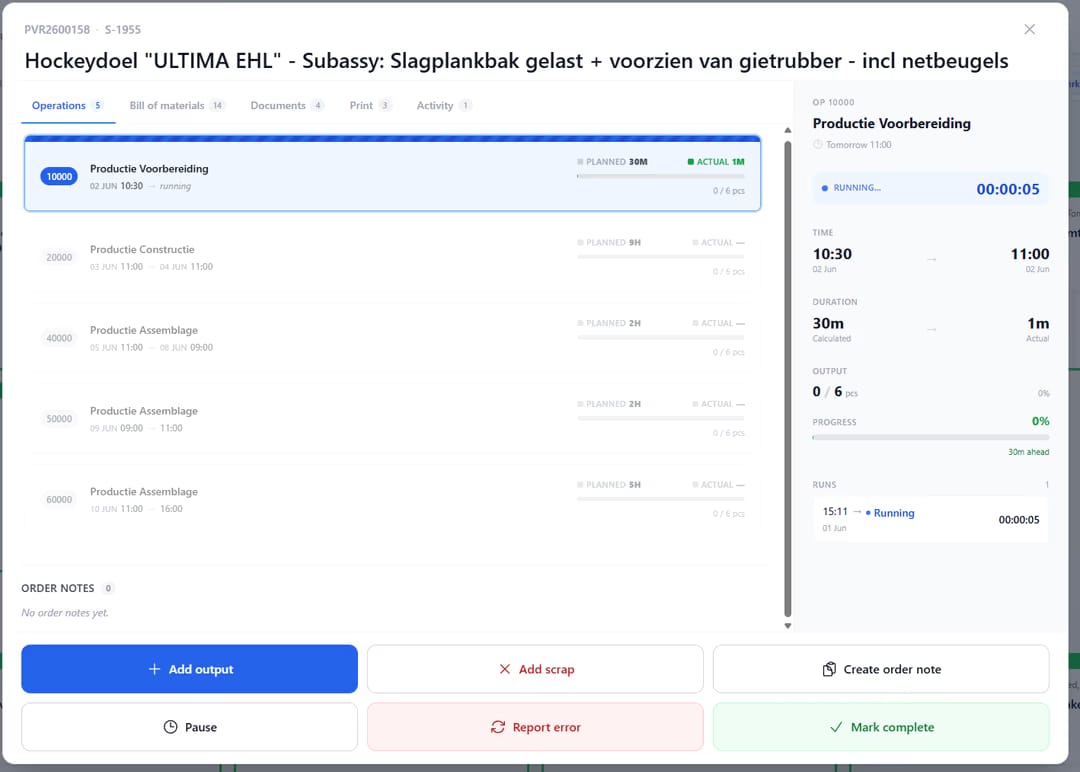
Many shop floor environments still rely on paper, disconnected tools or unclear instructions. uShopFloor translates planning into clear, executable tasks designed for gloves, noise and real environments. The interface is intentionally simple, so no training should be needed. Inline quality checks, material consumption, machine status and issue capture all happen on the screen the operator is already using, so planning and execution stay connected.

A board for the shift supervisor.
Productive hours, output against plan, open issues, downtime by reason and tomorrow's load, all on one screen. A shift supervisor opens it at start-of-shift, glances at it every hour, and uses it to run the daily standup at end-of-shift. It's available when uShopFloor runs alongside uScheduler Production, because the plan is what the dashboard measures against. uShopFloor on its own gives each worker their own metrics, and the team-wide view comes with the planning side.
A board for the shift supervisor.
Productive hours, output vs plan, open issues, downtime by reason and tomorrow’s load, all on one screen. The shift supervisor opens it at the start of the shift, glances at it every hour and uses it to run the standup at the end. It’s available when uShopFloor runs alongside uScheduler Production, because the plan is what the dashboard measures against. uShopFloor on its own gives each worker their own metrics, and the team-wide view comes with the planning side.
- Output, attainment, downtime, scrap per line per shift
- Open issues with age and category
- Operator presence and current task
- Ahead/behind schedule visualisation
- Tomorrow's plan preview with material readiness
Signals you'd reach for this.
See uShopFloor in a 30-minute demo.
A real screen-share with someone who built it. No slides.