Shop Floor Execution

uShopFloor

From paper and confusion to clarity on the floor.

Many shop floor environments still rely on paper, disconnected tools, or unclear instructions. uShopFloor translates planning into clear, executable tasks designed for gloves, noise and real environments. The interface is intentionally simple — no training should be required. Inline quality checks, materials consumption, machine status and issue capture all happen on the same screen the operator is using anyway — so the loop between planning and execution stays closed.

uShopFloor order dashboard with shift KPIs and queued and running order cards
Functionalities · 9
uShopFloor · Parallel Working

Several people, one order.

Some jobs are not done alone. uShopFloor lets multiple operators register time and progress against the same production order at the same time — each on their own device, each with their own task and timer. The plan knows who is on the order, and the hours stay attributed to the right person.

Multiple operators per order
Two, three or ten operators can be active on the same production order simultaneously. Each runs their own timer; the system attributes hours to the right person.
Shared status, individual time
Everyone working on the order sees the same live progress. Time, output and consumption are kept per operator, so payroll, costing and skill-mix analysis stay correct.
Hand-offs without paperwork
One operator finishes their part; the next picks up where they left off. The order's state is the same on both screens; no clipboard exchange, no verbal hand-over.
What you see

A job that takes a team should be visible as a team.

Assembling, batch processes, large parts, two-handed tasks — plenty of work needs more than one operator. Most shop-floor systems either pretend only one person is on a job, or force operators to share a single login on a single screen. uShopFloor treats every operator as their own user, on their own device, contributing to the same shared order. The total picture is honest; the individual hours stay accurate.

  • Multiple operators on the same production order, simultaneously
  • Each operator runs their own timer on their own device
  • Per-operator time, output and consumption attribution
  • Live shared status visible to everyone on the order
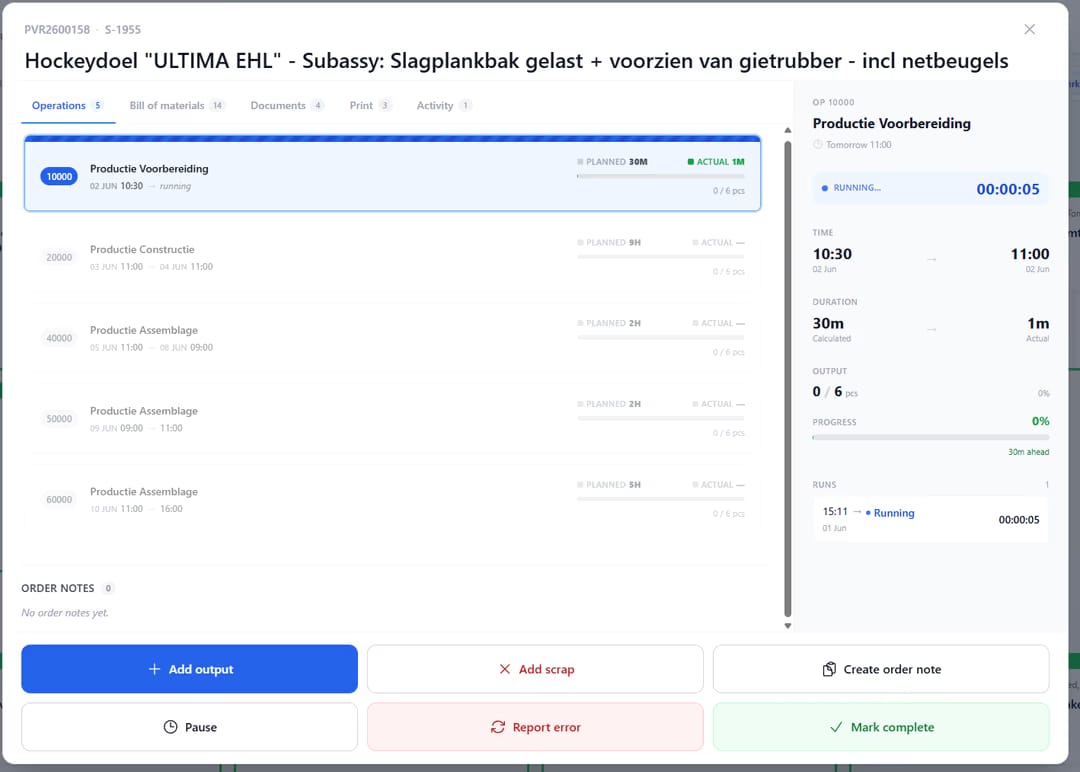
uShopFloor order detail with operation list, live run timer and output actions
When this matters

Signals you'd reach for this.

01
"Who actually did this job?"
When time is logged against an order in one lump, the question of who did what cannot be answered. Per-operator attribution preserves that.
02
Operators share logins for team work
When two operators share one screen because the system only knows one operator at a time, the system is wrong. Each operator should be their own user.
03
Performance feedback has no target
When the system only sees "the team", coaching has nowhere to land. Per-operator hours and output make individual feedback possible.
04
The lead's hours hide everyone else's
When the lead clocks for the whole team, the team's hours never show up individually. The total may be right by accident; the analysis is wrong on purpose.
FAQ

The questions everyone asks first.

Still wondering? Ask us directly →

Each operator logs their own start and stop. The order's total time is the sum of every operator's hours; costing uses the rate on the routing line, posted back to Business Central with the per-operator hours attached.

See uShopFloor in a 30-minute demo.

A real screen-share with someone who built it. No slides.

The uTools suite

Other apps that pair well with uShopFloor