uScheduler Project / Service / Sales
One plan for everything that happens after production.
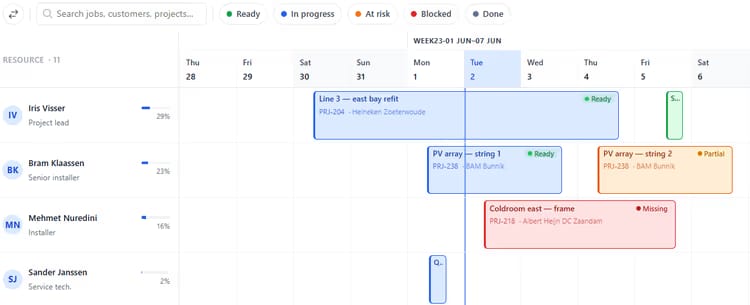
Once production is done, there’s still delivery, installation, service and project work to plan. uScheduler P/S/S puts all of it in one overview and plans it against capacity, skills, geography, deadlines and material availability. It also checks whether the parts will be there on the day. Sales, logistics and engineers all look at the same board, so promises get kept and there are fewer surprises.

Customers updated before they ask.
A customer who finds out about a slip from the truck driver loses trust. A customer who gets a polite reminder the day before and can open a portal to see exactly where their order stands is a customer who renews. uScheduler builds communication and self-service into the plan.
Self-service is faster for everyone.
Customer communication is the cheapest part of operations to do well and the most expensive to do badly. A reminder costs nothing to send, but a missed appointment costs a truck roll. Most status questions can be answered with data the planner already has, and a portal turns “phone the planner” into “open the tab”. Planners get their time back, and customers get an answer whenever they want one.
- Configurable message templates per activity type
- Customer messaging is a simple on/off switch, with no per-customer setup
- Scheduled messages: confirmation, reminder, ETA, completion
- Customer portal scoped to their own orders and projects
- Live status timeline with a confirm / counter-propose flow
- Documents on the order, such as signed reports, visible to the customer
- Writes back to Business Central; every message logged for the audit trail
Signals you'd reach for this.
See uScheduler Project / Service / Sales in a 30-minute demo.
A real screen-share with someone who built it. No slides.