uPurchase
Demand forecasting and purchasing, in one screen.
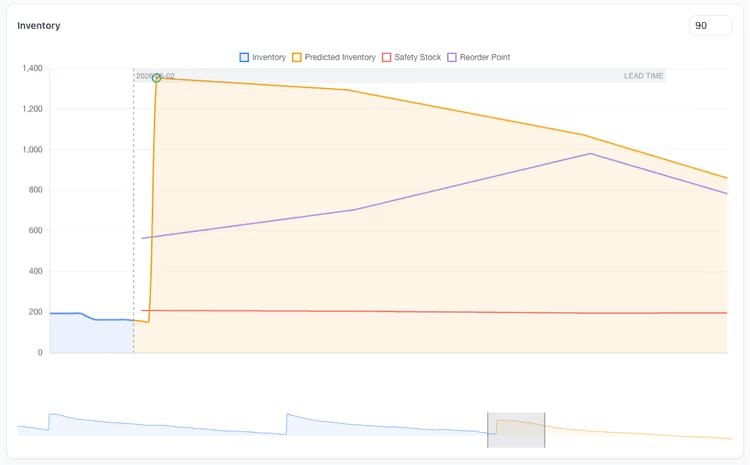
uPurchase is the demand-forecasting and inventory-intelligence layer Business Central never had. It classifies every SKU, forecasts demand by location, sizes safety stock against a chosen service level, applies supplier calendars and lead times, weighs carrying cost against stockout risk, and turns it all into purchase suggestions. Every recommendation answers the question “why” before you have to ask it: the forecast, the safety stock, the lead time and the current position all live on the same row as the quantity. Edit any number and the projected stock curve updates before anything is committed to Business Central. Purchasers get to challenge the numbers instead of trusting them blind, and controllers see service level, stockouts and excess as daily KPIs rather than monthly autopsies.

Reorder logic you can read at a glance.
Set rules per item, category or supplier and see exactly which rule fired for any given suggestion. The system always tells you which policy produced a recommendation, so you can trust it or override it deliberately.
Rules with receipts.
Every suggestion carries a small badge that names the rule that produced it. Click it and you see the full chain, from the category default to the supplier override, the item override and the final value. When a number surprises you, you can find out why in two clicks instead of two meetings.
- Min/Max, Fixed-Quantity, Fixed-Period, Lot-for-Lot policies
- Per-class default rules with item-level override
- Rounding: pack quantity, pallet quantity, supplier MOQ
- Review cycle: daily, weekly, monthly per class
- Supplier-specific overrides (e.g. consolidation cadence)
Signals you'd reach for this.
See uPurchase in a 30-minute demo.
A real screen-share with someone who built it. No slides.