uPurchase
Demand forecasting and purchasing, in one screen.
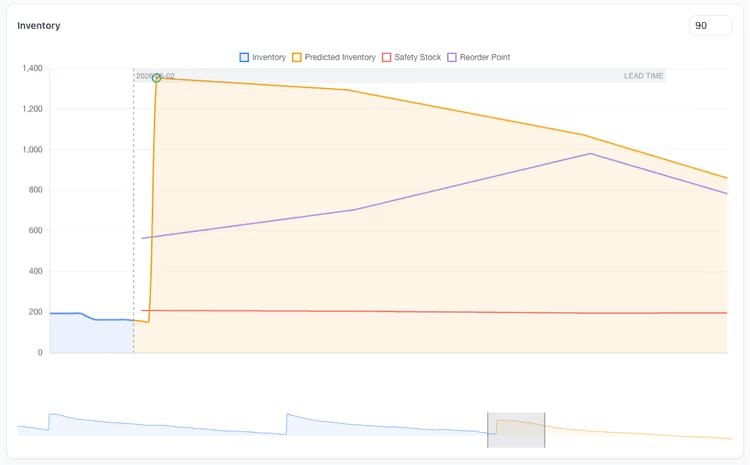
uPurchase is the demand-forecasting and inventory-intelligence layer Business Central never had. It classifies every SKU, forecasts demand by location, sizes safety stock against a chosen service level, applies supplier calendars and lead times, weighs carrying cost against stockout risk, and turns it all into purchase suggestions. Every recommendation answers the question “why” before you have to ask it: the forecast, the safety stock, the lead time and the current position all live on the same row as the quantity. Edit any number and the projected stock curve updates before anything is committed to Business Central. Purchasers get to challenge the numbers instead of trusting them blind, and controllers see service level, stockouts and excess as daily KPIs rather than monthly autopsies.

Your morning starts here.
A single screen that shows everything worth attending to today and lets you jump straight to it. Service level, inventory value, late POs, suppliers slipping, items crossing into excess, forecast accuracy drifting. Click a number on any tile and you land on the rows that produced it, ready to act.
The home base for purchasing
Most Business Central users live in a tangle of lists, filters and reports they’ve bookmarked over the years. uPurchase replaces that with one starting point. You open the dashboard, see what needs attention and click straight into the work, whether that’s suggestions, supplier reviews or stock health. By the time you close uPurchase for the day, the dashboard tells you what changed.
- "Needs attention" panel at the top, with items, suppliers and POs that crossed a threshold
- Open suggestions ranked by what's urgent today, with their count and projected value
- Inventory value over time with class breakdown
- Days of supply, turn rate, and stockout count
- Open, late and due-this-week POs, with one click to the list
- Drill-through from every tile to the underlying rows
Signals you'd reach for this.
See uPurchase in a 30-minute demo.
A real screen-share with someone who built it. No slides.