Field Service

uFieldService

Engineer execution, native to Business Central.

Field service operations are often split across multiple systems and manual steps. uFieldService centralises the engineer-execution side of that workflow. Engineers receive digital work orders with customer details, asset history, work instructions and required materials — sourced from either the Project module or the Service module of Business Central, whichever fits the job. Engineers register their own time and time for coworkers, add materials by scan, work fully offline, communicate with customers from the app, and capture a customer signature on-site. Everything posts straight back to Business Central — no re-keying, no paper bridge.

uFieldService image 1
Functionalities · 10
uFieldService · Work Orders

Every job, with full context.

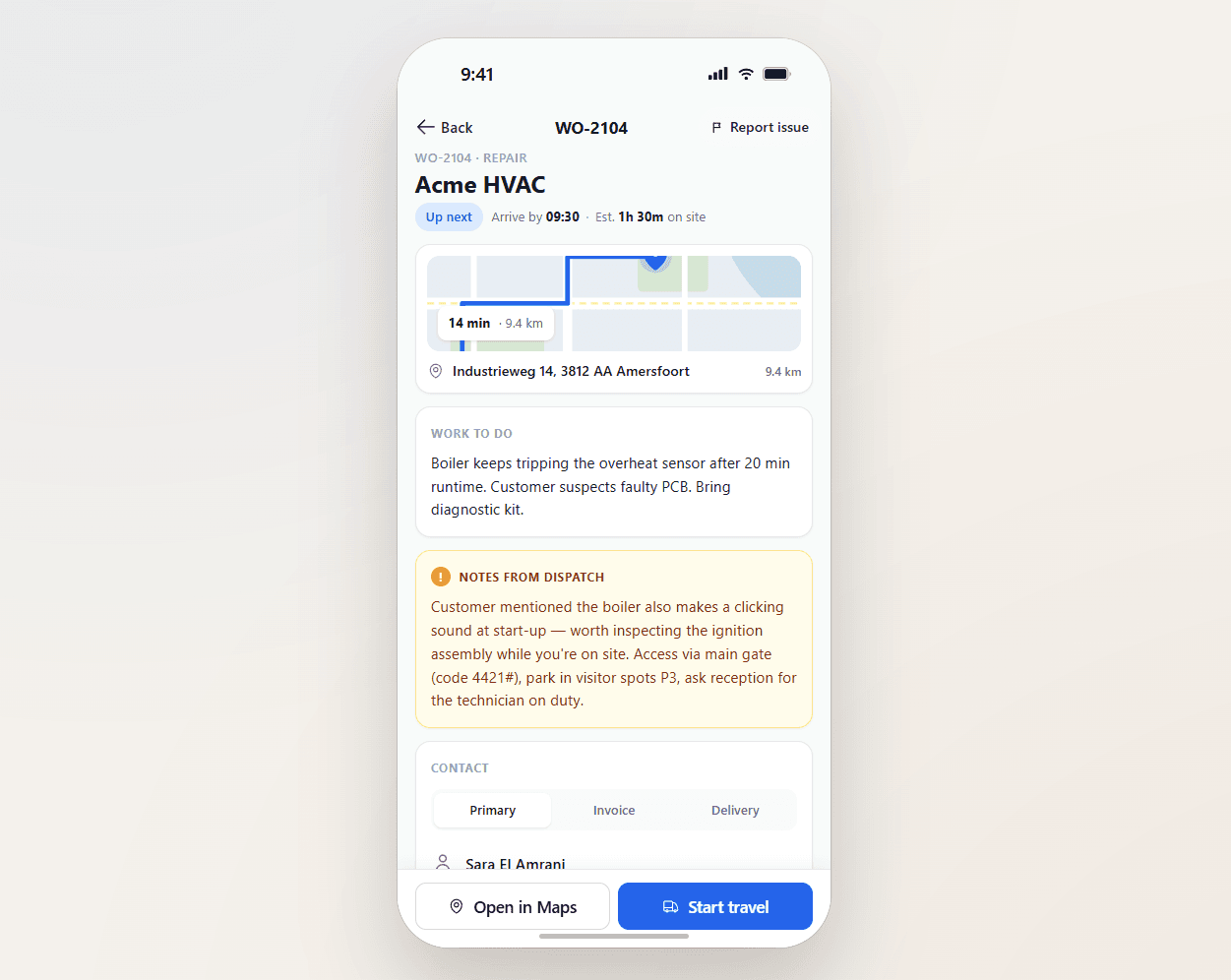
Customer history, addresses, equipment serials, prior issues, required materials, access notes — bundled into the work order before it leaves dispatch. The engineer arrives knowing what they need to know.

Context bundled, not searched
Customer details, asset history, prior visits, open warranties, access instructions — all on the work order. The engineer does not piece them together from three systems.
Materials added on the order
The engineer adds materials to the work order as they use them — by scan, by search, or from their van stock. Consumption posts straight to the order and to the right Project or Service line in Business Central.
Notes on the order
Free-text notes on the order — entered by dispatch, the back office, or the engineer. "Goods entrance round the back, not the front." "Park in bay 7." "Ask for Marius, not Hans." Visible on the work order from the moment it lands on the engineer's app.
What you see

A work order that does the homework.

A first-time-fix rate is largely a function of preparation. An engineer who arrives knowing the asset history, with the right parts loaded, and the right access route, fixes it on the first visit. An engineer who arrives blind does not. The work order is where preparation gets institutionalised.

  • Customer profile with service history
  • Asset/equipment record: serial, model, install date, warranty status
  • Previous visit notes — what was found, what was done
  • Materials added by the engineer — by scan, by search, or from van stock
  • Order notes for access, parking, on-site contact and anything else worth flagging
uFieldService image 2
When this matters

Signals you'd reach for this.

01
Engineers Google customer addresses
When customer location info is buried in a back-office system, engineers open Google Maps to find directions a system should have provided.
02
Same problem, third visit
A recurring issue that nobody connects to its history wastes truck rolls. Asset history on the work order changes the conversation.
03
Access surprises waste the slot
A locked goods entrance, a missing security badge, an unannounced visit — preventable with a note on the order before the engineer leaves the depot.
04
"What was wrong last time?"
A question the engineer should not have to ask the customer. The history is in the system; the work order should show it.
FAQ

The questions everyone asks first.

Still wondering? Ask us directly →

Each customer asset has its own record — serial, model, install date, warranty, service history, configured parameters. Built on Business Central fixed-asset and service-item structures.

See uFieldService in a 30-minute demo.

A real screen-share with someone who built it. No slides.

The uTools suite

Other apps that pair well with uFieldService