Produktionsplanung

uScheduler Production

Ein Produktionsplan, den du wirklich umsetzen kannst.

Die meisten Tools für die Produktionsplanung zeichnen schöne Gantt-Diagramme, mit denen niemand arbeiten kann. In uScheduler Production ist jede Zelle auf der Plantafel eine Entscheidung, die du treffen kannst. Zieh einen Auftrag, und Kapazität, Werkzeuge, Qualifikationen, Reihenfolge und Materialverfügbarkeit aktualisieren sich sofort. Passt etwas nicht, siehst du es direkt. Auto-Plan schlägt einen Ausgangspunkt vor, und der Planer verfeinert ihn. In der Fertigung ändert sich nichts, bis der Planer freigibt. Das Ergebnis ist ein Plan, den du ohne Erklärung auf einen Bildschirm über der Linie stellen und im Vertriebsmeeting vertreten kannst, wenn jemand fragt: „Wann können wir liefern?“
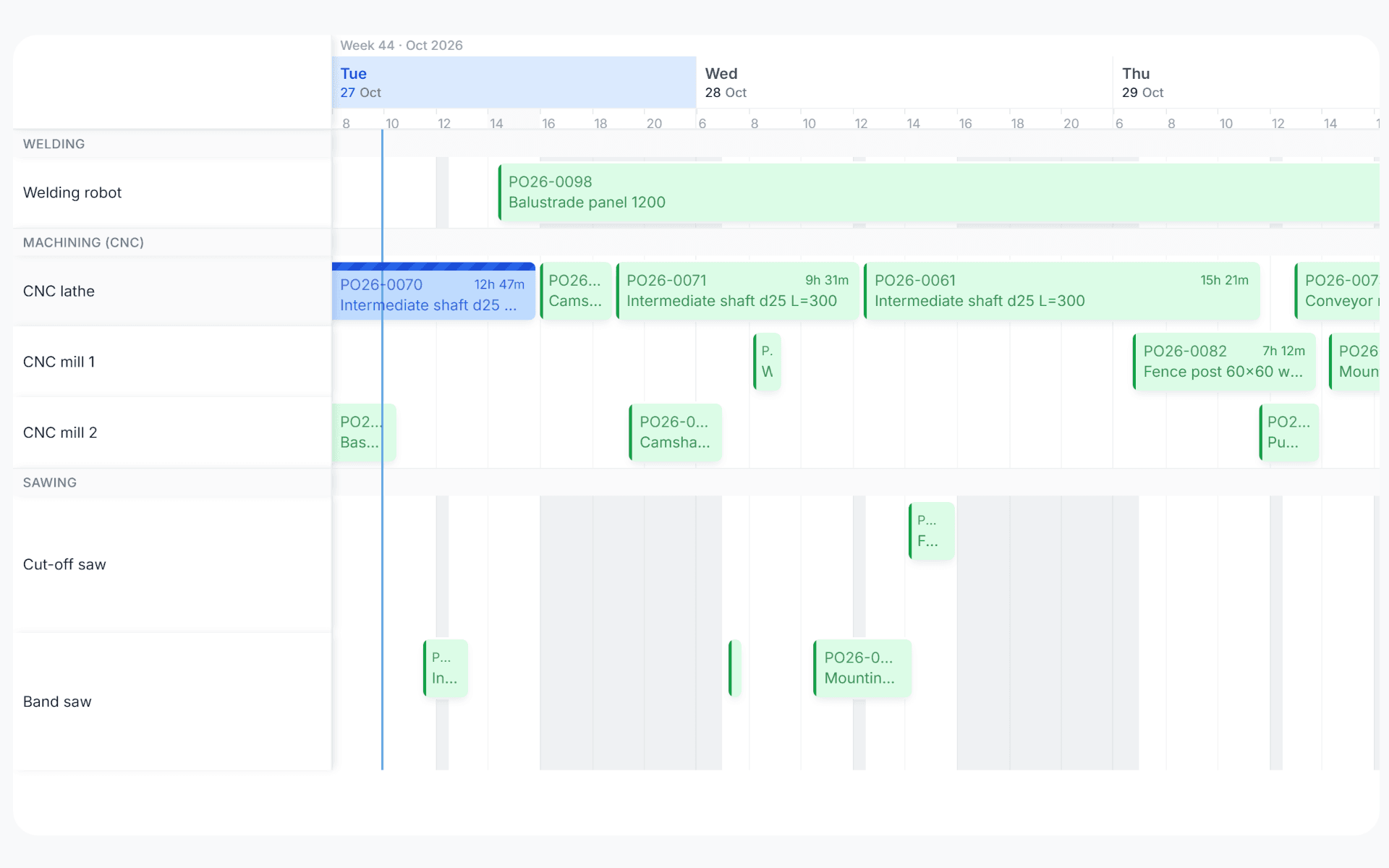
uScheduler Production gantt view with production orders planned across work centers over three days
Funktionen · 8
uScheduler Production · KPI Dashboard

The plan and the score, on the same screen.

One screen, refreshed continuously, shows on-time completion, capacity utilisation, schedule adherence, setup hours lost, late orders and forecast vs actual throughput. A planner can see whether the floor is winning, and a controller can answer the same question without a spreadsheet.

The KPIs that actually matter
On-time start, on-time finish, schedule adherence, capacity utilisation, OEE-style availability, late orders, setup time as % of run time. Pre-built, no configuration.
Up to date, all the time
Every tile reads straight from the same data the floor is writing. There's no nightly job and no warehouse hop, so when an operator reports time, the number on the screen moves. Yesterday's on-time is on the screen before this morning's standup.
A floor view for the wall screen
A second, read-only layout designed for a TV above the line: large type, no chrome, the KPIs that matter to that area auto-rotating. The number the planner sees on their laptop is the same number the floor sees on the wall.
Was du siehst

A dashboard you read every morning.

Most dashboards get checked once a quarter. uScheduler puts the KPIs on the same workspace as the plan, so a planner sees yesterday’s score before they touch today’s plan. Opening the tool means seeing the result of your last decisions.

  • On-time start, on-time finish, schedule adherence
  • Capacity utilisation per work centre and aggregated
  • Setup hours as % of total run hours
  • Late orders, days late, EUR exposure
  • Throughput: planned vs actual per shift
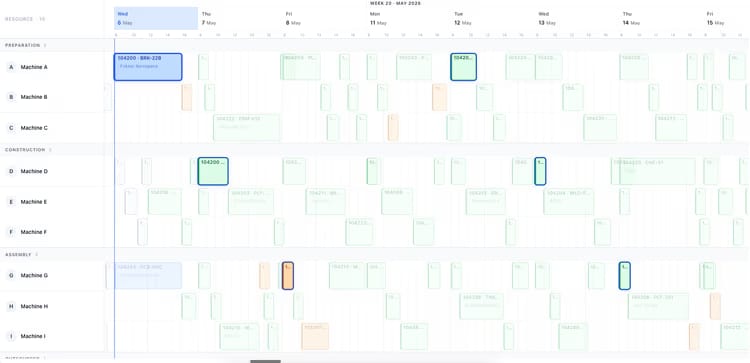
Production planning board showing two weeks of orders across ten machines
Wann das wichtig ist

Anzeichen, dass du das brauchst.

01
Reports come from accounting
When the only “are we on time?” number comes from finance month-end, planners are blind during the month.
02
Targets are aspirational
A 95% on-time target without a daily readout is wishful thinking. Visibility creates accountability.
03
Improvement is invisible
A 2-point on-time improvement is real money, if anyone can see the trendline.
04
A KPI in Excel changes nothing
A number pasted into a deck once a month arrives too late to act on. Improvement needs the readout next to the work, refreshed while the shift is still running.
Häufige Fragen

Die Fragen, die alle zuerst stellen.

Noch Fragen? Frag uns direkt →

Live. Every KPI on the dashboard reads from the same data the floor is writing, with no sync jobs or staging tables in between. When an operator reports time, the number on the screen moves.

Sieh dir uScheduler Production in einer 30-minütigen Demo an.

Eine echte Bildschirmfreigabe mit jemandem, der es gebaut hat. Keine Folien.

Die uTools-Suite

Weitere Apps, die gut zu uScheduler Production passen