Produktionsplanung

uScheduler Production

Ein Produktionsplan, den du wirklich umsetzen kannst.

Die meisten Tools für die Produktionsplanung zeichnen schöne Gantt-Diagramme, mit denen niemand arbeiten kann. In uScheduler Production ist jede Zelle auf der Plantafel eine Entscheidung, die du treffen kannst. Zieh einen Auftrag, und Kapazität, Werkzeuge, Qualifikationen, Reihenfolge und Materialverfügbarkeit aktualisieren sich sofort. Passt etwas nicht, siehst du es direkt. Auto-Plan schlägt einen Ausgangspunkt vor, und der Planer verfeinert ihn. In der Fertigung ändert sich nichts, bis der Planer freigibt. Das Ergebnis ist ein Plan, den du ohne Erklärung auf einen Bildschirm über der Linie stellen und im Vertriebsmeeting vertreten kannst, wenn jemand fragt: „Wann können wir liefern?“
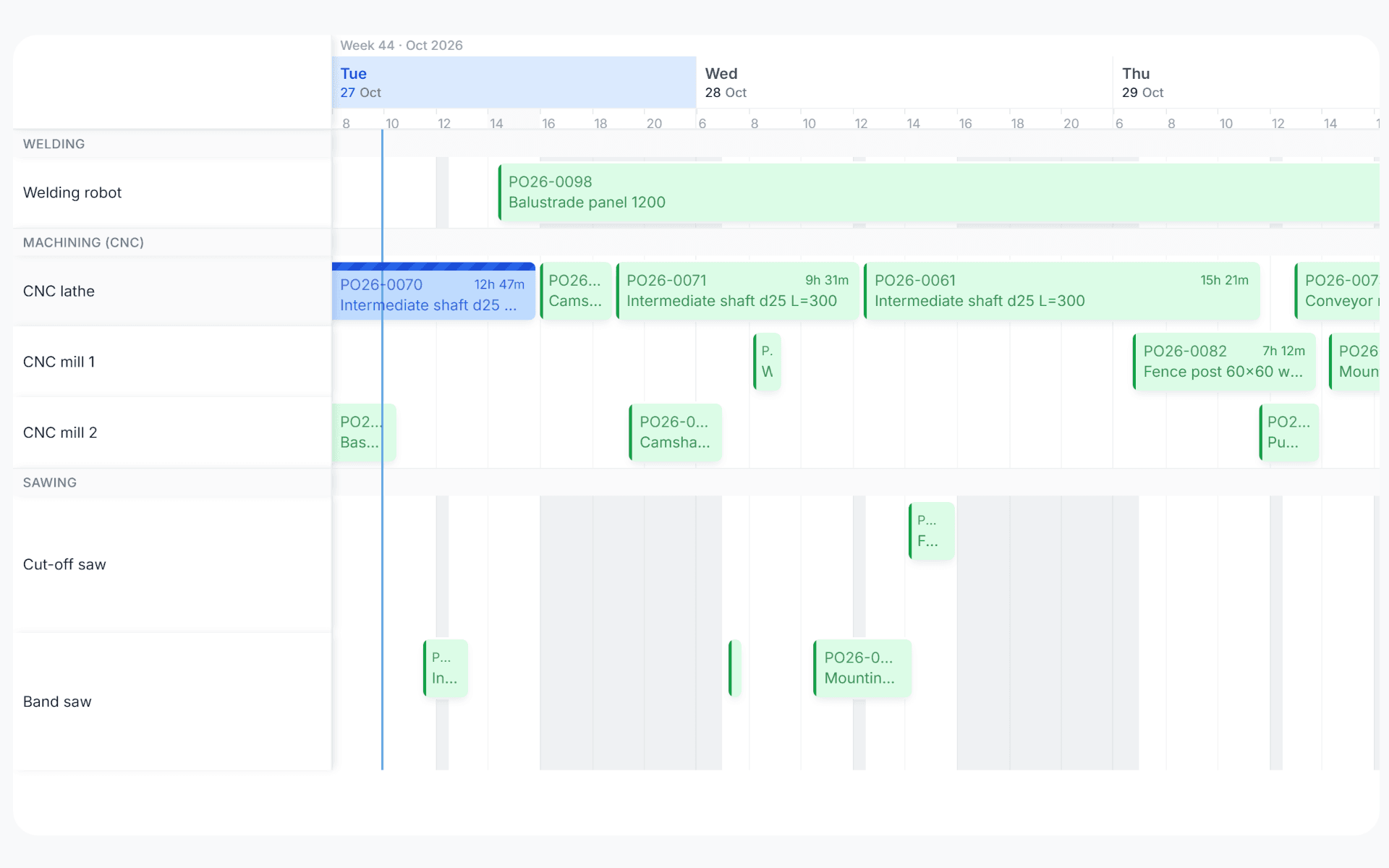
uScheduler Production gantt view with production orders planned across work centers over three days
Funktionen · 8
uScheduler Production · Auto-Plan

Four ways to let the system propose.

Auto-Plan has four modes, each for a different planning question. Pull dates in line with sales, push dates to the earliest feasible day, fill idle time on the floor, or rebuild the whole plan against a ranking you control. Every run produces a simulation, and nothing commits until you say so.

Move to JIT
Moves production orders to the dates the demand needs them. If a sales order slips a month, the production order follows by itself, so you don't have to chase it.
Move to EPD
Earliest Production Date. You'd like to make it now, but the materials or capacity aren't ready. The system finds the first day when both are and moves the order there, so the date you give is one you can keep.
Fill idle-times
Spots gaps in the schedule, like a machine quiet on Thursday afternoon or a shift under-loaded next week, and pulls eligible work forward to use them. Stock builders, MTS items and lower-priority orders earn their slot without breaking the plan downstream.
Auto-plan fully
Tell the system how to check capacity and materials, and how to rank your production orders, such as by customer type, item type, make-to-order or make-to-stock, priority or custom fields. It then runs a full simulation, and you decide whether to commit it, tweak it or throw it away.
Was du siehst

A proposal, never a verdict.

A fully automated planner that commits its own choices is a planner that surprises you on Monday. We don’t build that. Every Auto-Plan run produces a simulation next to the current plan, so the planner sees what moved, what slipped and what improved, and chooses what to commit. The skill stays in the room.

  • Four modes: Move to JIT, Move to EPD, Fill idle-times, Auto-plan fully
  • Ranking rules: customer type, item type, MTO vs MTS, priority, and your own fields
  • Every run is a simulation, with no silent commits
  • Per-planner saved configurations
  • Works well out of the box, and you can change every parameter
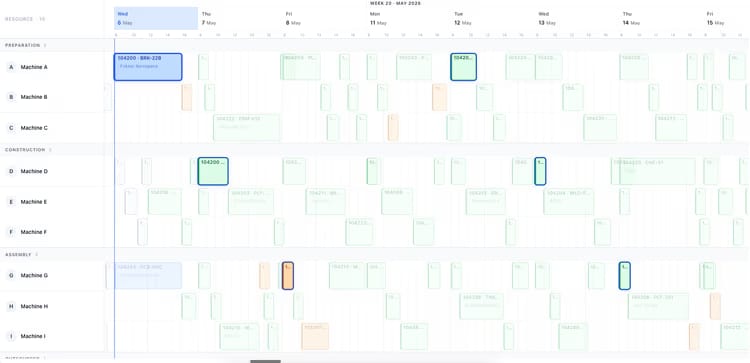
Production planning board showing two weeks of orders across ten machines
Wann das wichtig ist

Anzeichen, dass du das brauchst.

01
Sales moves, production doesn’t
A customer pushes out by a month and the production order stays where it was. The mismatch lives in someone’s inbox until shipment week.
02
Planned dates are too optimistic
When you can’t move an order to its earliest feasible date in one click, the plan stays at the date you wanted, even when the floor can’t hit it.
03
Idle time goes unused
A quiet Thursday afternoon or an under-loaded shift next week is capacity nobody claimed. Without an explicit step to fill it, that time disappears.
04
Ranking is in someone’s head
Which customer comes first, which order type to favour, when to prioritise MTS over MTO. These rules live in tribal knowledge until you encode them.
Häufige Fragen

Die Fragen, die alle zuerst stellen.

Noch Fragen? Frag uns direkt →

Move to JIT and Move to EPD are near-instant for the affected orders. A full Auto-Plan simulation runs in seconds for a single work centre and under a minute for a typical mid-size plant. Nothing commits until you accept the simulation.

Sieh dir uScheduler Production in einer 30-minütigen Demo an.

Eine echte Bildschirmfreigabe mit jemandem, der es gebaut hat. Keine Folien.

Die uTools-Suite

Weitere Apps, die gut zu uScheduler Production passen